Powered by Rivox AI

The Social Universe. Reimagined.

FlashX is not just an app — it's your world. Share Flicks, play Arena games, connect through Blend, discover books, and chat with an AI. All in one dark, futuristic platform.
AI
Powered
Free
No Ads
FlashX Home Feed
Scroll
Everything You Need

Packed with Powerful Features

FlashX combines social media, gaming, AI, and content discovery — all in one sleek dark platform.

Home Feed
Home & Feed

Your Flicks Feed

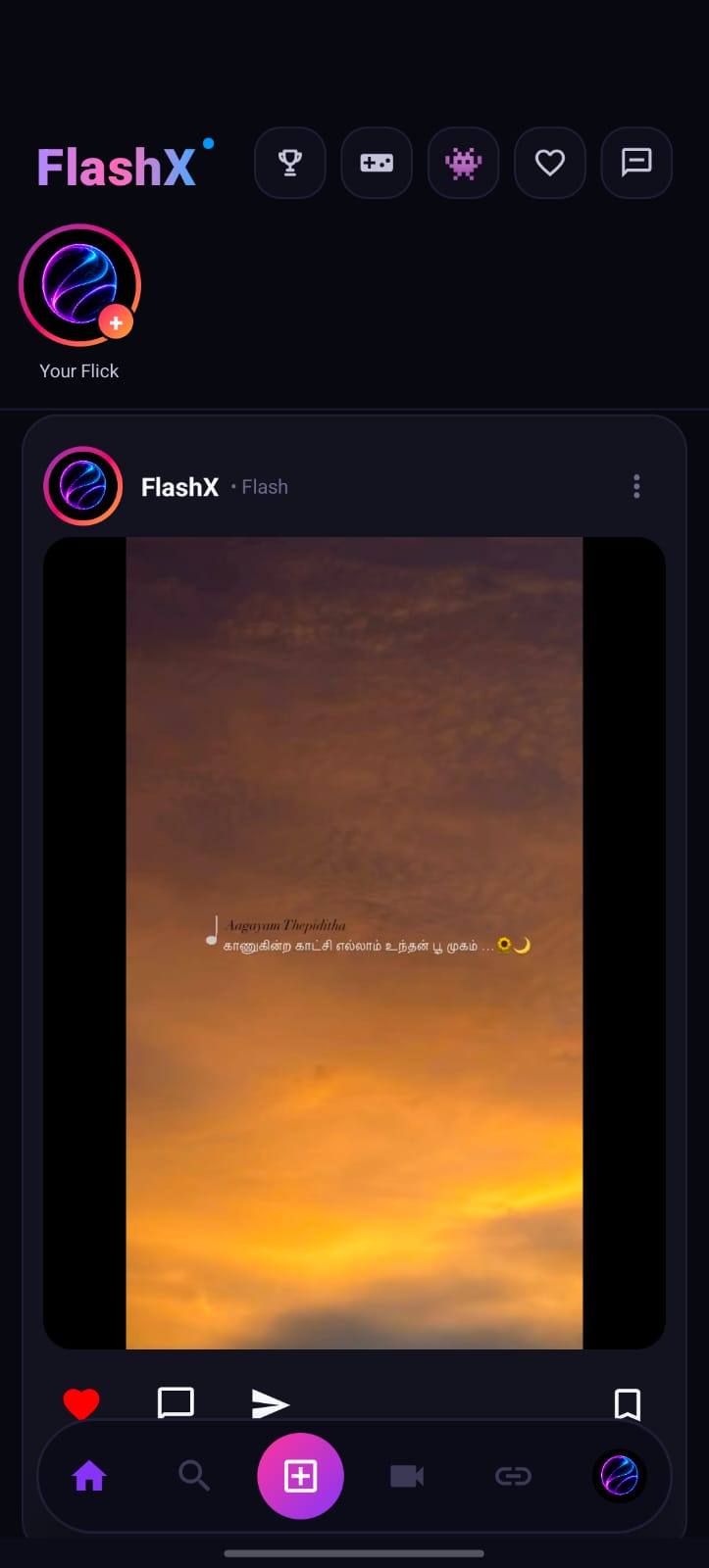
Discover a rich home feed called Flicks — scroll through vertical photo and video posts. Like with a double-tap, save, comment, and share instantly.
  • 1 Open FlashX → land on Home Feed
  • 2 Scroll through posts — double-tap image to like ❤️
  • 3 Tap bookmark icon to save a post for later
  • 4 Tap ➤ share to send to friends via any app
  • 5 Tap Your Flick + at top to add your own story
StoriesLike & SaveCommentsShare
Photo Quest AI
AI Intelligence

Photo Quest — AI Analyzer

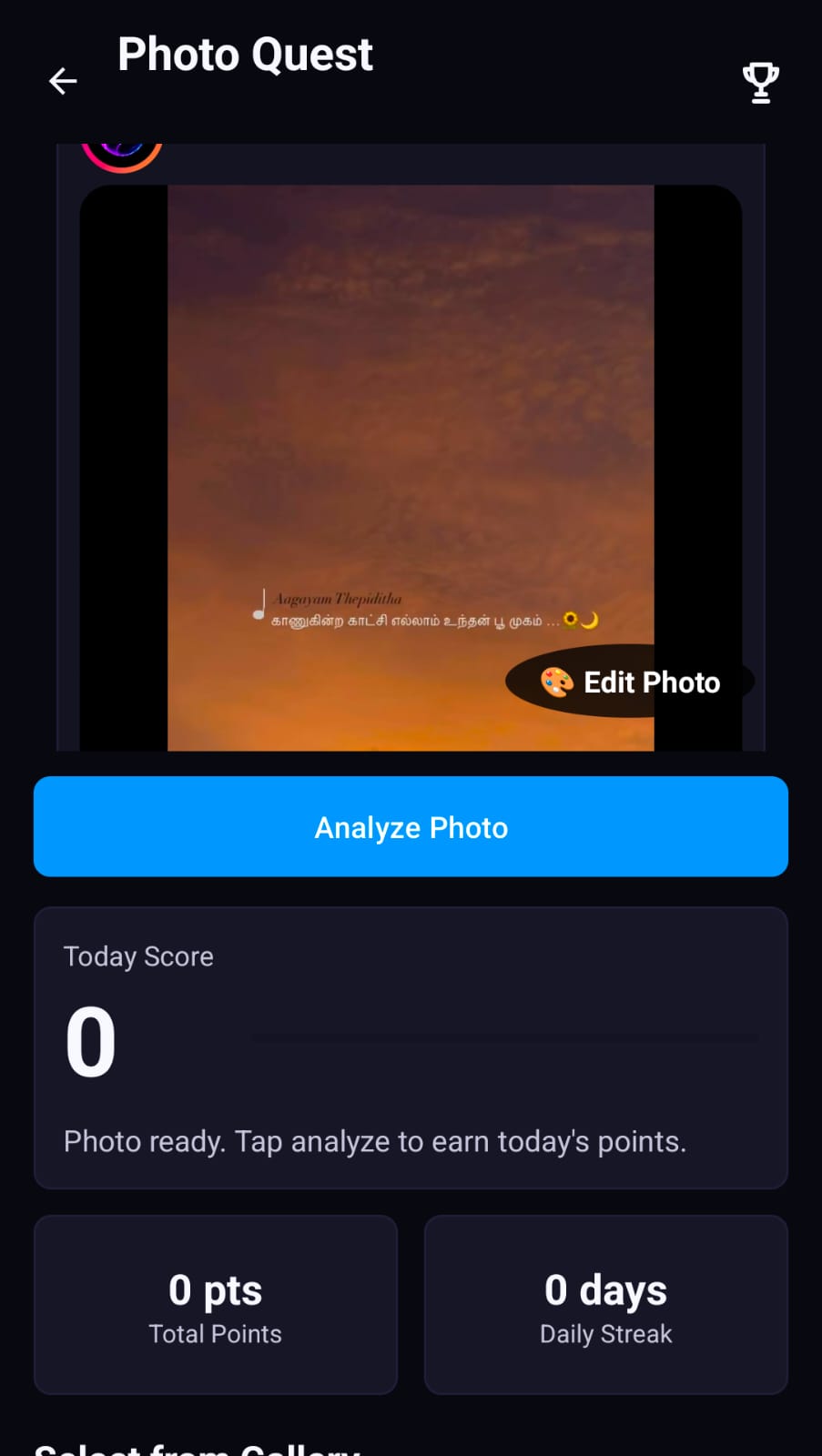
Rivox AI analyzes your photos and scores them daily. A gamified photography challenge — take better photos, earn more points, build streaks!
  • 1 Tap the 🏆 Trophy icon from the top bar
  • 2 AI loads your last post — tap "Analyze Photo"
  • 3 Rivox AI scans composition, lighting & quality
  • 4 Receive a score in points added to your total
  • 5 Come back daily to keep your streak alive 🔥
AI ScoringDaily PointsStreakEdit Photo
Arena Games
Gaming Arena

Arena Season — Play & Win

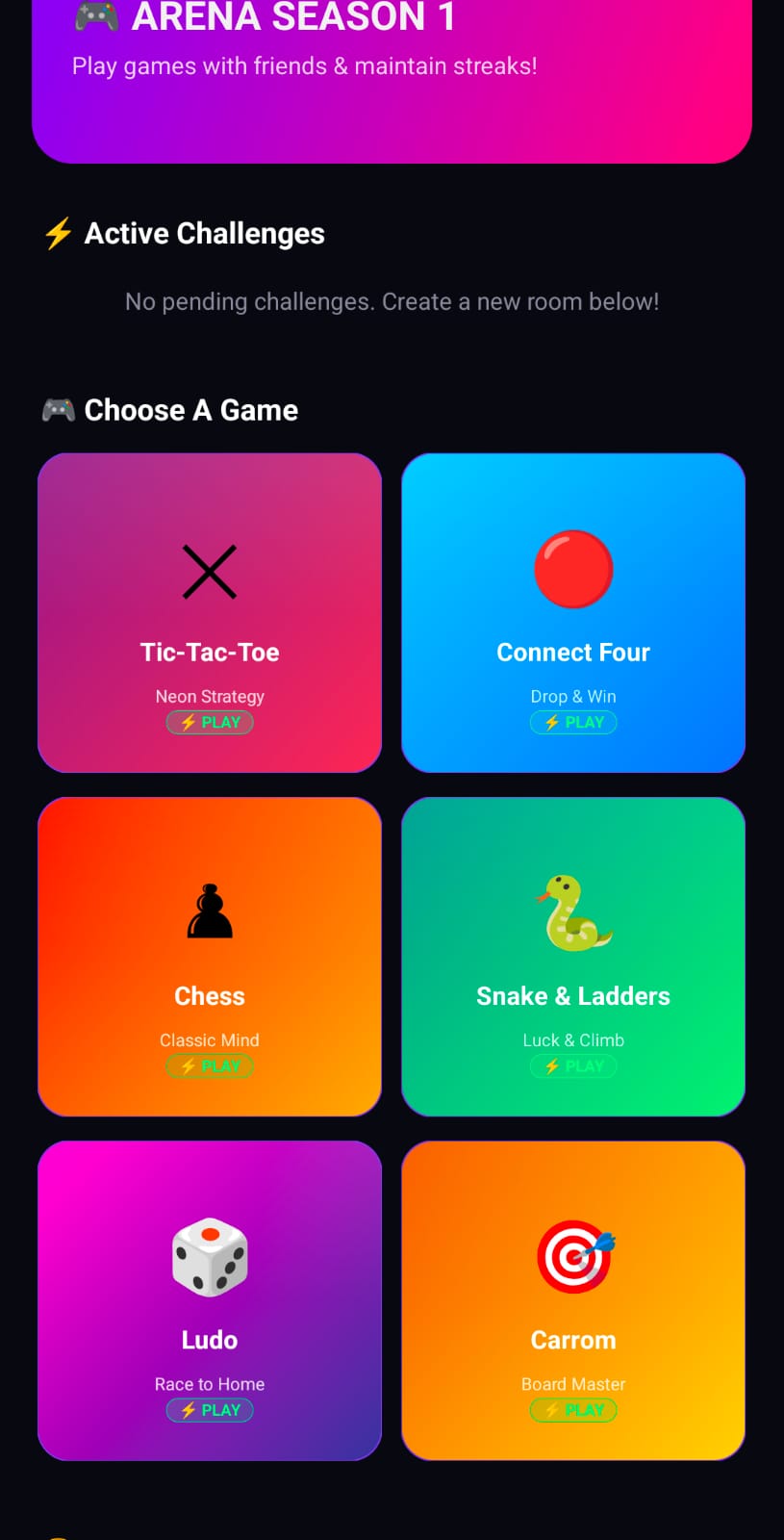
Challenge friends to live games inside FlashX! 6 built-in games — Tic-Tac-Toe, Connect Four, Chess, Snake & Ladders, Ludo, and Carrom. Climb the leaderboard!

  • 1 Tap the 🎮 Game controller icon from top nav
  • 2 See Active Challenges and the game selection grid
  • 3 Tap any game — e.g. Chess, Ludo, Connect Four
  • 4 Tap ⚡ PLAY to challenge a friend or join a match
  • 5 Win to earn Arena Season points on leaderboard
ChessLudoTic-Tac-ToeSnake & LaddersCarrom
FlashX Rooms
Voice & Video

FlashX Rooms — Live Calls

Create or join unlimited voice and video call rooms. Host a public hangout or make a private room with a secret Room ID. Connect in real time!

  • 1 Tap the 🔗 Link icon on the bottom nav bar
  • 2 FlashX Rooms dialog opens — see all active rooms
  • 3 Tap "📹 Public" to create an open room
  • 4 Tap "🔒 Private" for a secret room with a unique ID
  • 5 Share the Room ID so friends can join in the join box
Voice RoomsVideo CallPublic & PrivateRoom ID
Share a Jot
Ephemeral Sharing

Jots — Thoughts That Vanish

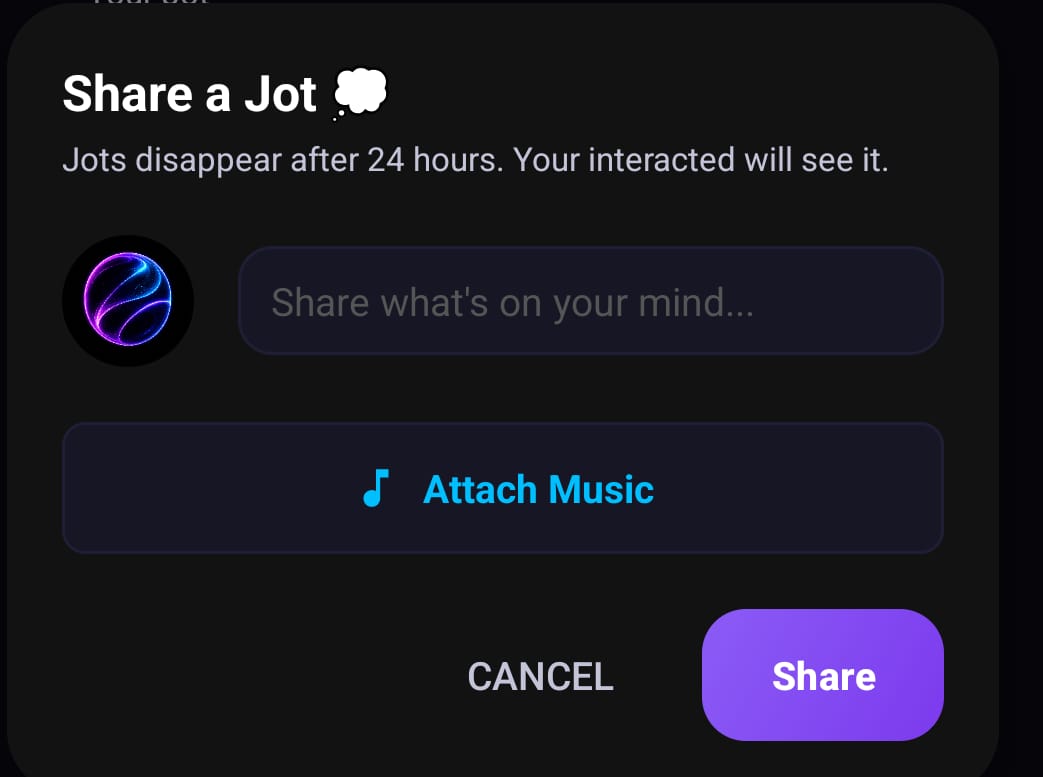
Jots are short-lived thoughts — they disappear after 24 hours automatically. You can even attach music to your Jot for a vibe-only experience.

  • 1 Tap the ❤️ Heart icon from the top bar on Home
  • 2 The "Share a Jot" dialog appears
  • 3 Type your thought in the "Share what's on your mind..." box
  • 4 Optionally tap "🎵 Attach Music" to add a track
  • 5 Tap Share — auto-deletes after 24 hours ⏱️
24hr ExpiryAttach MusicEphemeralAuto-Delete
Blend Feature
Relationship Feature

Blend — Connect with Your Partner

Blend is FlashX's most unique feature — a private space for two people to connect, share photos, videos, and reactions. A home-screen widget keeps you close at all times.
  • 1 Tap the 💗 Pink heart icon in the top bar
  • 2 Send a Blend invite to your partner via username
  • 3 Once accepted, see "✅ Connected with [Name]"
  • 4 Share photos & videos in your private Blend space
  • 5 React with ❤️ 😂 😮 😢 👍 or type a reply
  • 6 Tap "Add Widget to Home Screen" for home widget
Partner ConnectShared PhotosEmoji ReactionsHome Widget
Book Store
Knowledge Hub

Book Store — Read & Share

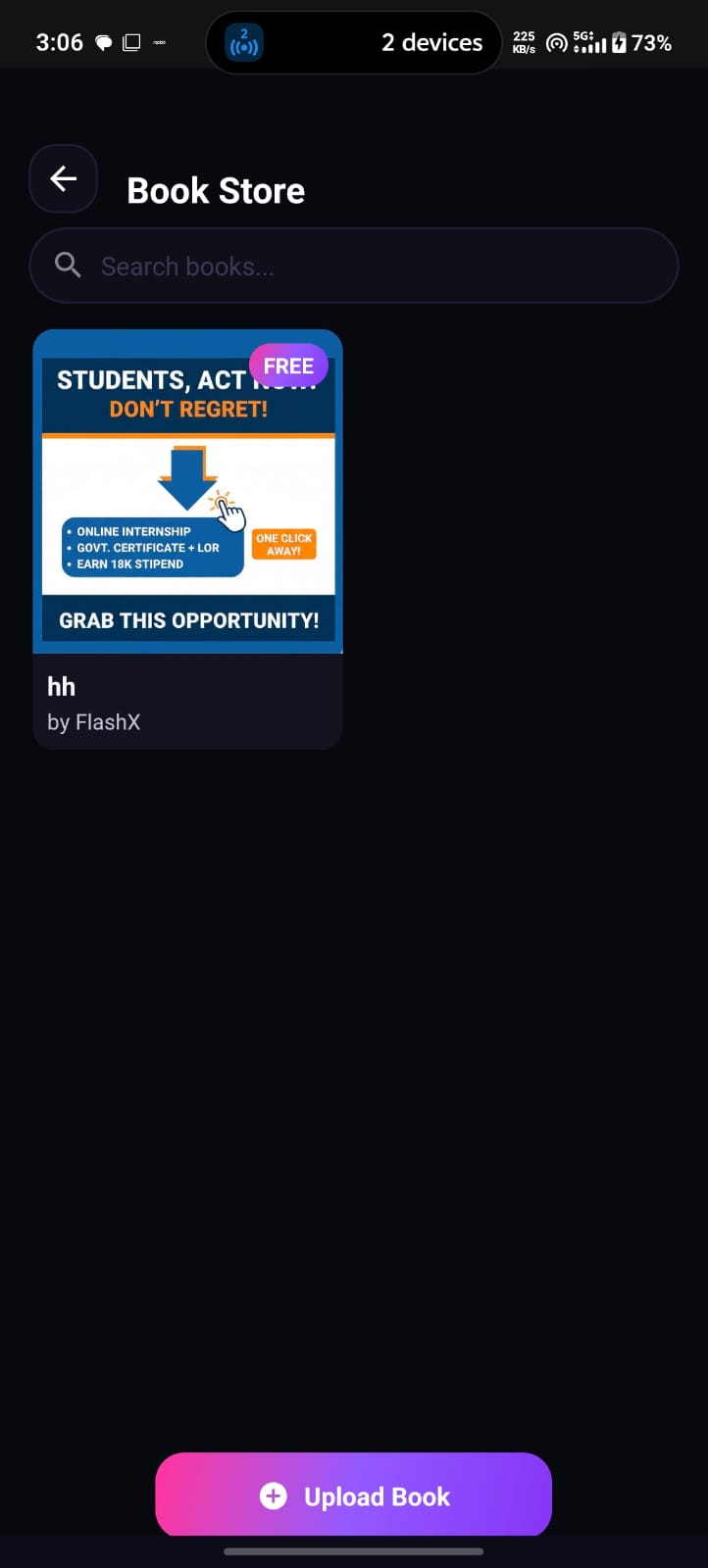
FlashX has its own Book Store where creators can upload books (free or paid) and users can browse, search, and read them. A community-driven library inside your social app!

  • 1 Open top-right menu → Book Store from Home
  • 2 Browse catalog or use search bar to find a book
  • 3 Tap any book cover — FREE books open instantly
  • 4 To publish, tap "+ Upload Book" at the bottom
  • 5 Add cover, title and PDF — share with the FlashX community
Free BooksUpload & ShareSearchCommunity Library
Rivox AI
Write me a caption for my sunset photo 🌅
✨ "Where the sun dips below the horizon, magic is born. Every sunset is a promise of a new dawn. 🌇 #FlashX #Vibes"
Artificial Intelligence

Rivox AI — Your AI Assistant

Rivox AI is the intelligent assistant living inside FlashX. Ask it anything, get help writing captions, generate ideas for posts, or get smart photo analysis — always there.

  • 1 Access Rivox AI via the top or side menu
  • 2 The Rivox AI chat interface opens instantly
  • 3 Type any question: "Write a caption for my photo"
  • 4 Rivox AI replies with smart, contextual answers
  • 5 Use for Photo Quest analysis, creative ideas & more
AI ChatbotCaption GeneratorPhoto AnalysisSmart Assist

How to Use FlashX

Get started in seconds. Everything you need to make the most of FlashX.

🏠

Home Feed

Double-tap any photo to like it. Swipe through Flicks. Tap stories at the top to view 24hr updates from people you follow.

Post Content

Tap the glowing + button at the center of the bottom bar to post a photo, video or Flick to your feed.

🎮

Play Arena

Tap the 🎮 icon in the top bar → choose a game → tap ⚡ PLAY to challenge a friend in real-time multiplayer.

💗

Use Blend

Tap the pink heart → invite partner by username → share private photos, react with emojis, and add a home screen widget.

🤖

Ask Rivox AI

Open the menu → Rivox AI → type any question → get instant AI-powered answers, caption ideas & creative suggestions.

🏆

Photo Quest

Tap the trophy icon → hit "Analyze Photo" → Rivox AI scores your photo daily. Build your streak and earn points!

📹

Join a Room

Tap the 🔗 link icon → tap Public to start a voice room, or Private for a secret call with a shared Room ID.

💭

Share a Jot

Tap the heart icon → "Share a Jot" → type your thought + attach music → tap Share. Auto-deletes in 24 hours.

📚

Book Store

Menu → Book Store → search & read free books or upload your own creation for the entire FlashX community.

FlashX Dark Splash

Get FlashX Now

Download the FlashX APK directly to your Android phone. 100% free. No Play Store required. No ads.

Download APK
✅ Android 7.0+ ✅ ~25 MB ✅ No Ads

How to Install the APK

Installing FlashX takes under 2 minutes on any Android phone.

Download APK
1

📥 Download the APK

Tap Download APK. Your browser downloads FlashX.apk to your phone. Check your status bar for the notification.

Allow Unknown Sources
2

⚙️ Enable Unknown Sources

Go to Settings → Security → Install Unknown Apps → find your browser → toggle Allow from this source ON.

Install APK
3

📲 Tap Install

Open your Downloads folder → tap FlashX.apk → tap INSTALL on the install screen. Takes just seconds!

Open App
4

🚀 Open & Sign Up

Tap OPEN on the success screen → create your account → choose a username → you're ready! Welcome to FlashX 🎉

Contact & Support

Have a question, bug report, or business enquiry? We'd love to hear from you. Reach out anytime!